Monitorización de routers
con PRTG

Supervise el consumo de anchura de banda, el tráfico de red y los mensajes de error de sus enrutadores con PRTG
Supervisión de enrutadores a través de SNMP, Esnifer de paquetes, NetFlow/sflow/jFlow
PRTG detecta el
tráfico sospechoso
¿Sabe qué está buscando?
Prevenga errores de red con PRTG y el monitoreo de routers
Los routers sobrecargados (y por lo tanto las redes) pueden hacer lenta la comunicación y el flujo de trabajo dentro de la empresa.
PRTG Network Monitor, nuestra solución de monitorización de red, le permite monitorizar todas las conexiones de routers de fabricantes como Cisco, Dell, Yamaha y Linksys. Determine cuánto ancho de banda se utiliza por conexión, los dispositivos, programas o usuarios que generan la mayor cantidad de tráfico y dónde se producen los cuellos de botella en su red. Obtendrá muchísima información valiosa que hará que su trabajo como administrador sea más fácil.
Con su amplia gama de características, PRTG Network Monitor hace que sea fácil de monitorizar el tráfico de los routers durante todo el día, registrar las actividades de la red y calcular la utilización de la red.
Además del tráfico y el ancho de banda, también puede controlar el dispositivo en sí mismo. PRTG le permite supervisar constantemente los ventiladores del equipo, las temperaturas y las fuentes de alimentación, así como la memoria de su router. Además, también puede estar siempre al tanto del estado general y las estadísticas de uso de su conexión VPN gracias a PRTG.
Se le notificará automáticamente cada vez que algo parezca mal dentro de sus routers o del tráfico de red. PRTG le permite actuar rápidamente para evitar que los cuellos de botella del ancho de banda paralicen su red.
Gracias a PRTG, todo el personal puede trabajar con tranquilidad.
¿Qué tipos de datos se recopilan? Tres puntos importantes
Con PRTG, usted podrá reconocer cuándo los routers están reenviando demasiados datos,
antes de que estén completamente sobrecargados.

El consumo de ancho de banda de conexiones individuales

Actividades de red y causas del tráfico

Mensajes de error de
los routers
Aquí se muestra cómo es la monitorización
de routers en PRTG
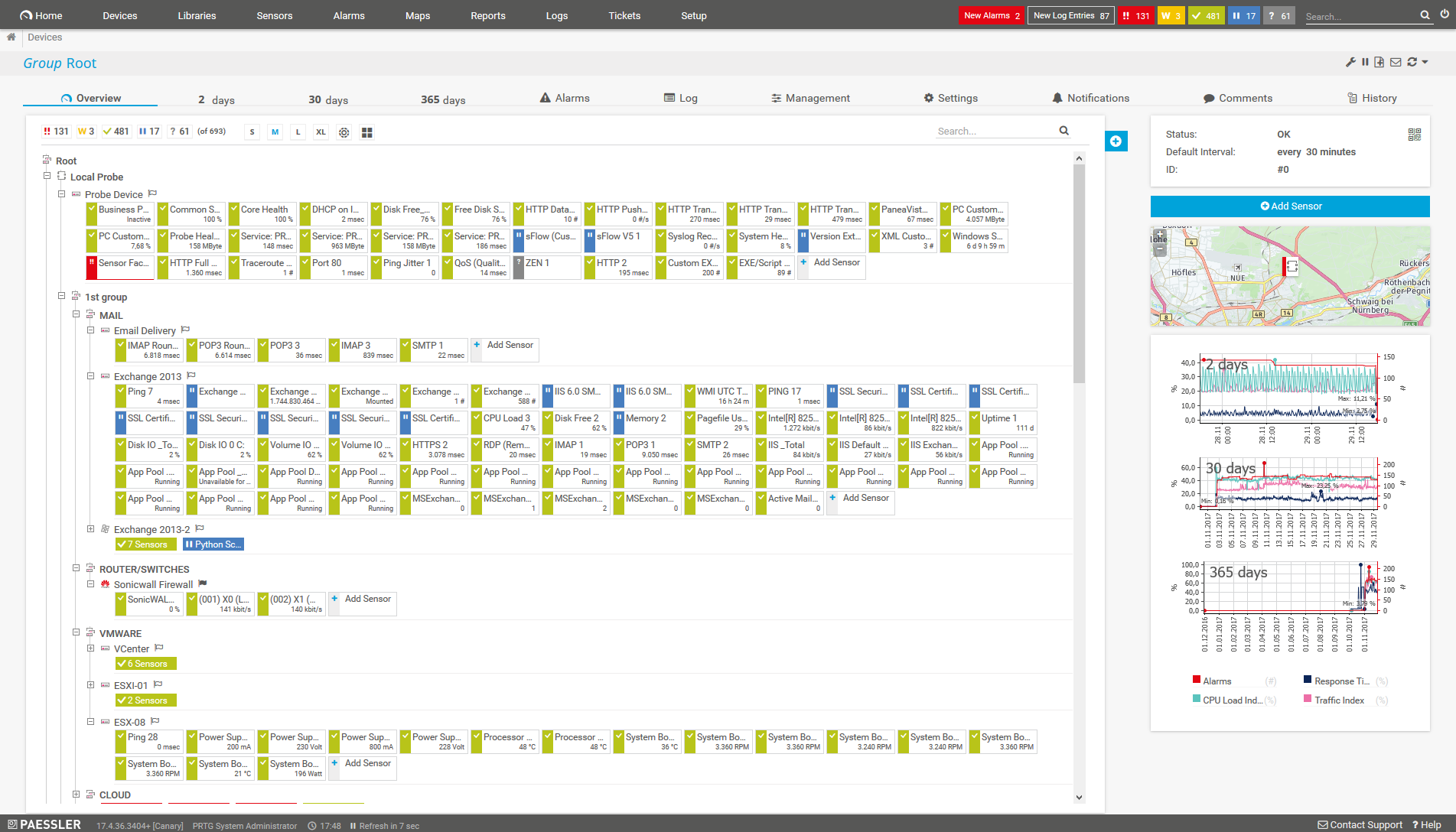
La red y los dispositivos de un vistazo
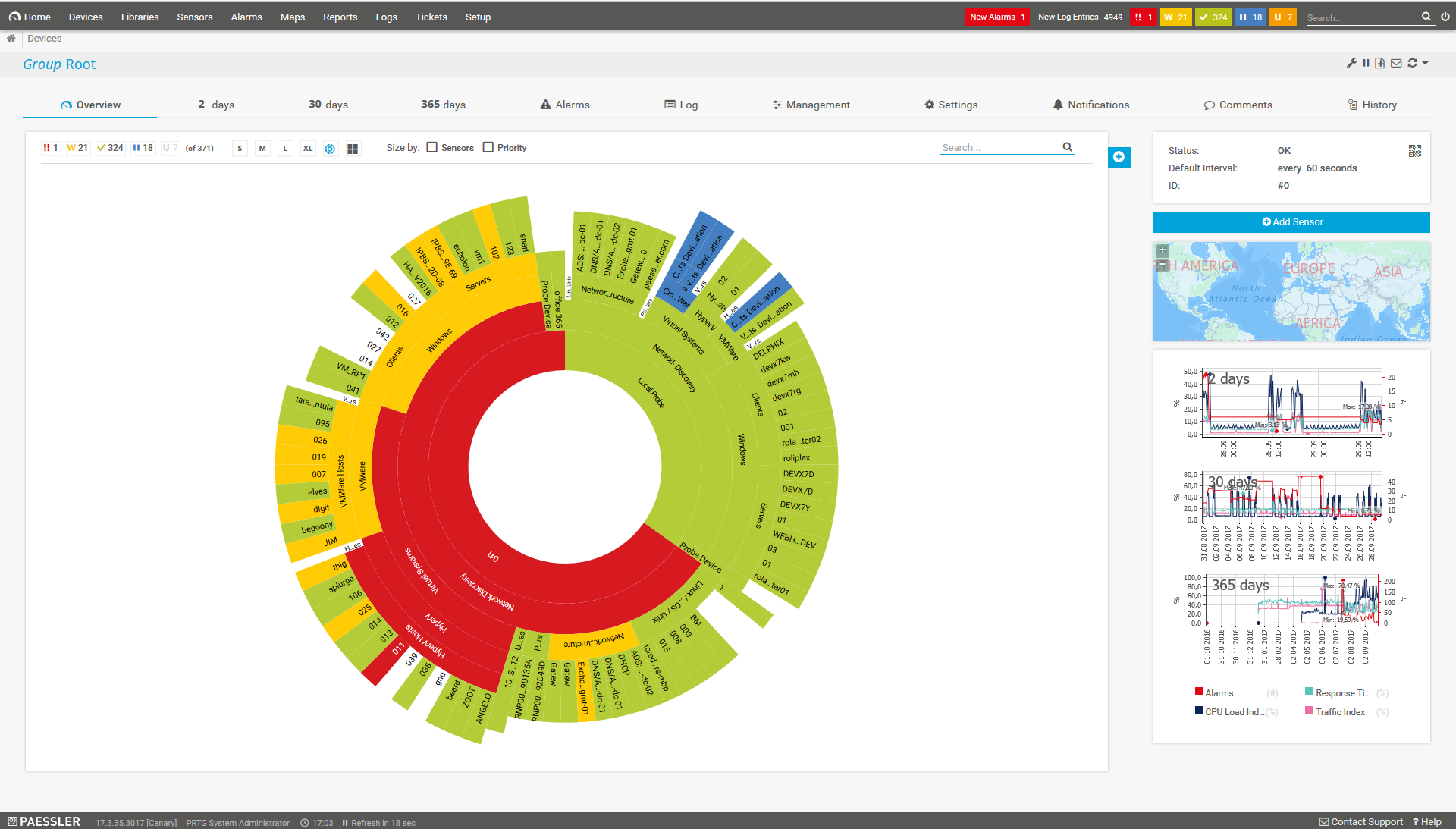
Vistazo del panel de control “Sunburst”
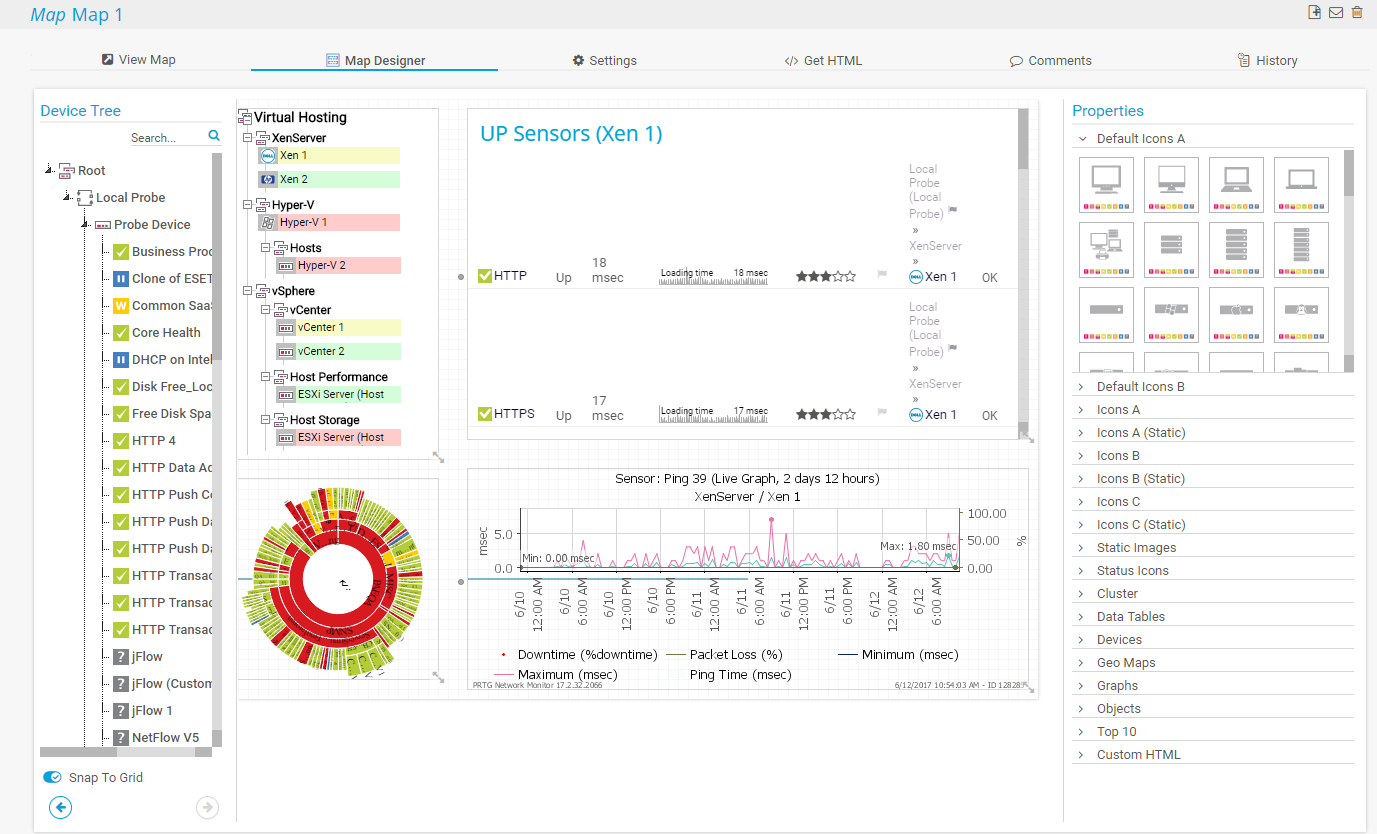
Crear mapas gráficos individuales

“Me gusta desayunar en casa y comprender lo que funciona
y lo que no funciona.”
Steve Coppin, Universidad de Oxford
Monitoreo de routers con PRTG
La monitorización del router con PRTG soporta tres métodos que tienen sus propias ventajas y desventajas:

SNMP
El protocolo de red SNMP es la forma más fácil de calcular el tráfico. Las cargas del CPU y de la red son bajas. Sin embargo, no es posible analizar protocolos o direcciones IP de las conexiones.

Packet Sniffer
El PRTG Packet Sniffer incorporado le permite examinar todos los paquetes de datos de red, por protocolos o direcciones IP. Pero de los tres métodos, éste genera la carga más alta del CPU y de la red.

Netflow/sflow/jFlow
Los métodos NetFlow/sflow/jFlow pertenecen a los routers de ciertos proveedores como Cisco, HP o Juniper. La utilización del ancho de banda se calcula dentro de cada dispositivo y se transmite a PRTG para su análisis y divulgación. Es la más potente de las tres alternativas cuando las cargas de CPU y de la red son bajas; este método es especialmente adecuado para redes con mucho tráfico.
PRTG le facilita el trabajo
Nuestro software de monitoreo le libera para que se pueda concentrar en otras tareas notificándole de inmediato sobre posibles problemas.

Ahorre esfuerzo
PRTG le ofrece una herramienta de monitoreo central para sus servidores y toda su red. Disfrute de una rápida visión general de toda su infraestructura a través de nuestro panel de control y aplicación.

Ahorre tiempo
Empezar a utilizar PRTG es muy sencillo. Instalar PRTG o venir de otra herramienta de monitoreo de red es muy fácil gracias a sus plantillas de dispositivos predefinidas y autoconfiguradas.

Ahorre dinero
El 80 % de nuestros clientes consigue ahorros sustanciales en costos con el monitoreo de la red. Su inversión en licencias probablemente se amortizará en unas semanas.
Prevenga los fallos de red y los cuellos de botella con PRTG y el monitoreo de routers
 El ancho de banda se mide como la cantidad de datos que se pueden transferir entre dos puntos de una red en un tiempo específico. Normalmente, el ancho de banda se mide en bits por segundo (bps) y se expresa como una tasa de bits. El ancho de banda denota la capacidad de transmisión de una conexión y es un factor importante a la hora de determinar la calidad y la velocidad de una red.
Más informatión
Reciba notificaciones de inmediato
PRTG proporciona alertas automáticas cuando la red se bloquea o surgen errores en el protocolo.

Corrija errores rápidamente
Conozca los problemas de frente para evitar que su red se bloquee.

Optimice el consumo de ancho de banda
Al ajustar el ancho de banda disponible, para satisfacer la demanda y reducir el tráfico innecesario, creará conexiones más estables.
Acelere los procesos de la empresa: un ancho de banda optimizado permite a las operaciones de una empresa ejecutarse rápidamente. Disfrute de un aumento en la disponibilidad de servicios y aplicaciones.
Transparencia en el tráfico
Con PRTG, usted recibirá y podrá analizar información sobre la intensidad del tráfico a través de conexiones individuales.

Mayor seguridad
Utilice PRTG para detectar tráfico sospechoso, que es indicativo de malware.
Controle todos sus routers, incluso fuera de la oficina
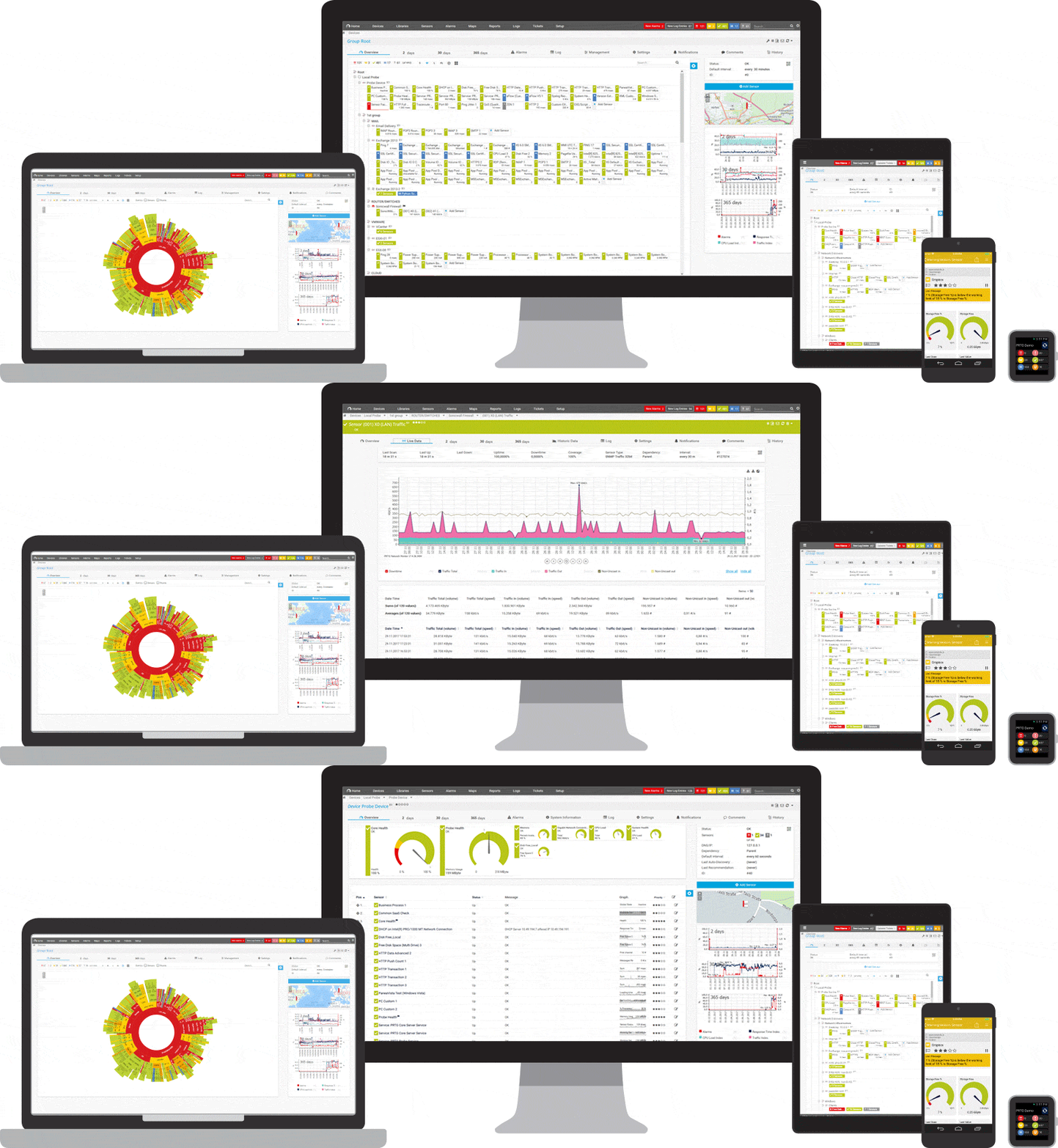
Configure PRTG en minutos y utilícelo en casi cualquier dispositivo móvil.

500.000 usuarios confían en nosotros y
los expertos nos reconocen como líderes del sector

“Fantástica solución de supervisión de redes e infraestructura, fácil de implementar pero aún más fácil de usar. Simplemente, el mejor sistema disponible.”

“El software es absolutamente perfecto, y su servicio de asistencia es superior. Cumple con todas las necesidades y requisitos. Se trata de una solución imprescindible para quien necesita cualquier tipo de supervisión.”

“La herramienta destaca en su papel principal de ser un servicio unificado de administración de infraestructura y supervisión de red.”
“Fácil de implantar y configurar, con un buen soporte técnico.”
R. v. S., ICT Manager de Heinen & Hopman Eng BV

PRTG: La multiherramienta para el administrador de sistemas
Adapte PRTG individualmente y dinámicamente a sus necesidades y apóyese en una sólida API:- HTTP API: Accese los datos de monitorización y manipule los objetos monitorizados utilizando solicitudes HTTP.
- Sensores personalizados: Cree sus propios sensores PRTG para una monitorización personalizada.
- Notificaciones personalizadas: Cree sus propias notificaciones y envíe desencadenantes de acciones a sistemas externos.
- Sensor REST personalizado: Monitorear casi todo lo que proporciona datos en formato XML o JSON
Todavía no le hemos convencido?

Más de 500.000 administradores
de sistemas adoran PRTG
Paessler PRTG se usa en empresas de todos los tipos y tamaños. A los administradores de sistemas les encanta PRTG por lo mucho que les facilita el trabajo.
Todavía no le hemos convencido?
Monitoree toda su
infraestructura de TI
Ancho de banda, servidores, entornos virtuales, sitios web, servicios de VoIP... PRTG vigila
toda su red.

Pruebe Paessler PRTG gratis
Todo el mundo tiene diferentes necesidades de monitoreo. Por eso se puede probar PRTG completamente gratis. Empiece ahora con su
prueba.
|
PRTG |
Network Monitoring Software - Versión 24.2.94.1400 (April 10th, 2024) |
|
Hosting |
Disponible como descarga para Windows y como solución hospedada PRTG Hosted Monitor |
Idiomas |
Inglés, alemán, español, francés, portugués, holandés, ruso, japonés y chino simplificado |
Precio |
Versión gratuita con 100 sensores. Ver precios de la versión comercial |
Unified monitoring |
Dispositivos de red, ancho de banda, servidores, aplicaciones, virtualizaciones, sistemas remotos, IoT y mucho más |
Vendedores y aplicaciones compatibles |


|